
Inside an Insight Hub, go to Chats to start a conversation with Sunday about the attached survey(s).
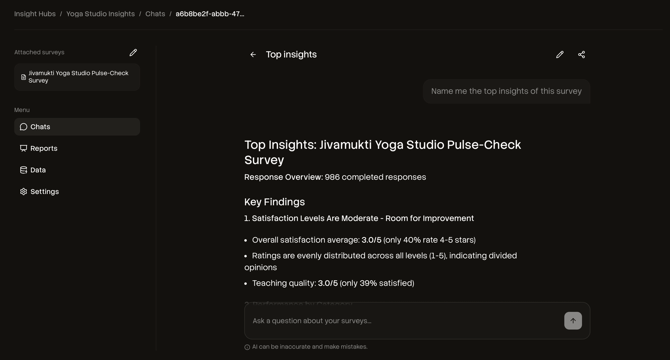
What you can do in Chats
- Ask for top insights (e.g., “Give me the top 3 outcomes”)
- Compare patterns across surveys (if you attached multiple)
- Turn raw feedback into a structured summary you can act on
How to start
- In the Hub menu, click Chats
- Type your question into the chat box
- Send it to Sunday and review the answer
Good to know
- You can start new chats anytime.
- Your chats are saved, so you can return to previous threads.
How to prompt Sunday (practical guide)
To get useful, decision-ready outputs, prompt Sunday with context + objective + output format.
Prompt patterns that work well
- Top insights
- “What are the top 3 insights from this survey? Include supporting numbers.”
- Drivers & priorities
- “What are the biggest drivers of dissatisfaction? Rank by impact and frequency.”
- Segments
- “Compare answers for new vs returning customers. What changes?”
- Recommendations
- “Based on responses, propose 5 actions. For each: effort, expected impact, and why.”
- Communication-ready summaries
- “Write a 1-paragraph executive summary and a 5-bullet action plan.”